Note: Last update 29.08.2026
Configuring Microphone and Speaker Levels for Dirac Live 2 and 3 Measurements
This tutorial explains how to set the microphone gain and speaker levels before taking Dirac Live measurements.
The goal is to maximize the difference between the test-signal level and the room's noise floor without risking damage to your speakers or hearing. A difference of at least 20 dB between the noise floor and test signal is recommended; a greater difference is better. In a quiet room, use higher microphone gain and a lower test-signal level. In a noisy room, reduce the microphone gain and increase the test-signal level.
Requirements
AVR or AV processor with Dirac Live room correction. Examples: Onkyo TX-RZ70, Denon AVR-X4800H or Marantz Cinema 50. The Onkyo includes Dirac Live Room Correction; the Denon and Marantz require a separate Dirac Live licence.
Mac or PC capable of running Dirac Live 2.5 or later.
Getting started
- Connect the measurement microphone to your computer or AVR/AVP (if supported).
- Place the microphone on a stand at the main listening position. Point it toward the ceiling, with its tip at ear height and centered where your head would normally be. Do not place the microphone directly on a surface, and secure the cable so it cannot move during the measurements.
- Start Dirac Live
- Select your AVR/AVP
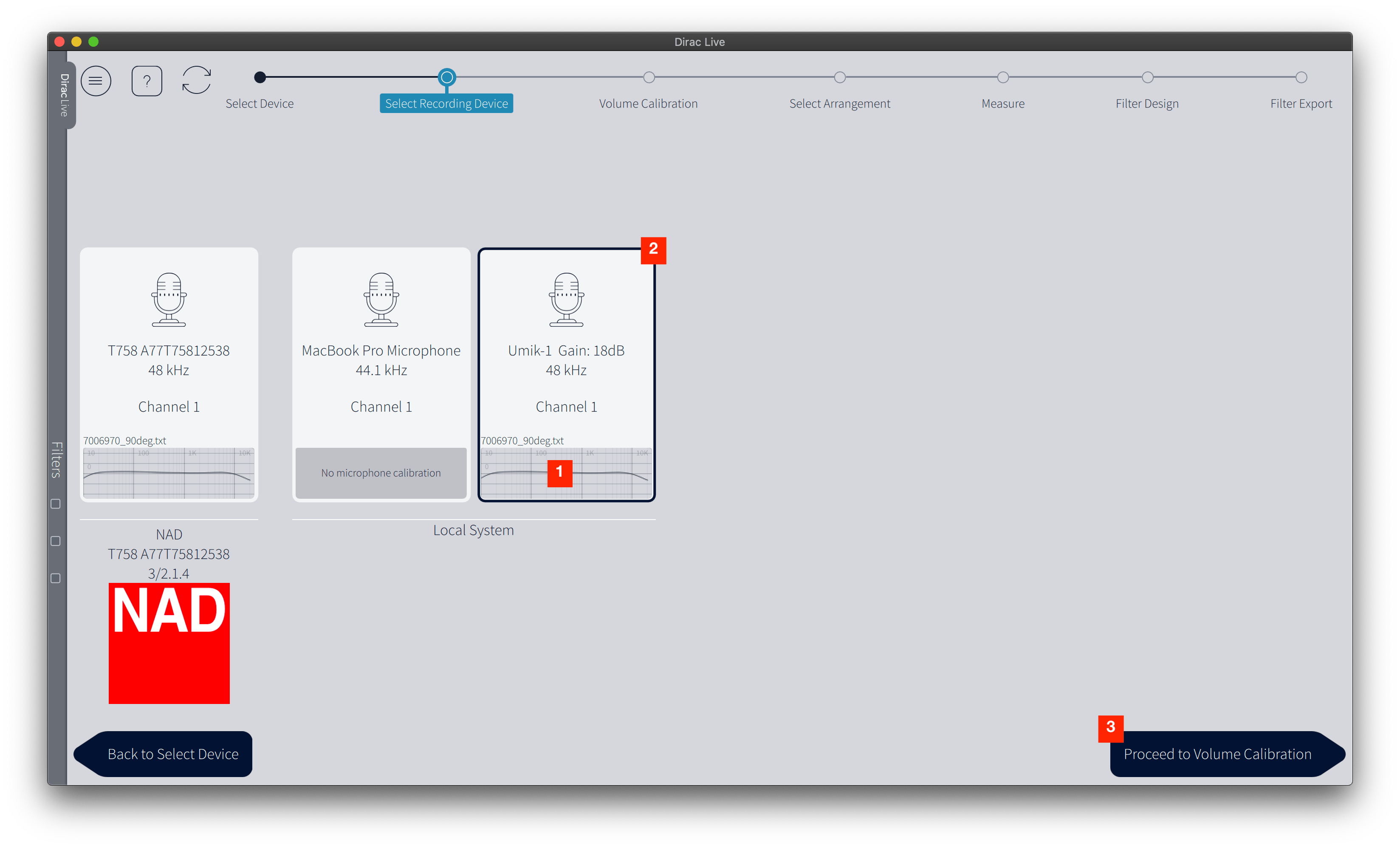
Select Recording Device
- Load the calibration file for the microphone.
- Make sure the correct microphone is selected.
- Proceed to the "Volume Calibration" tab.
Volume Calibration
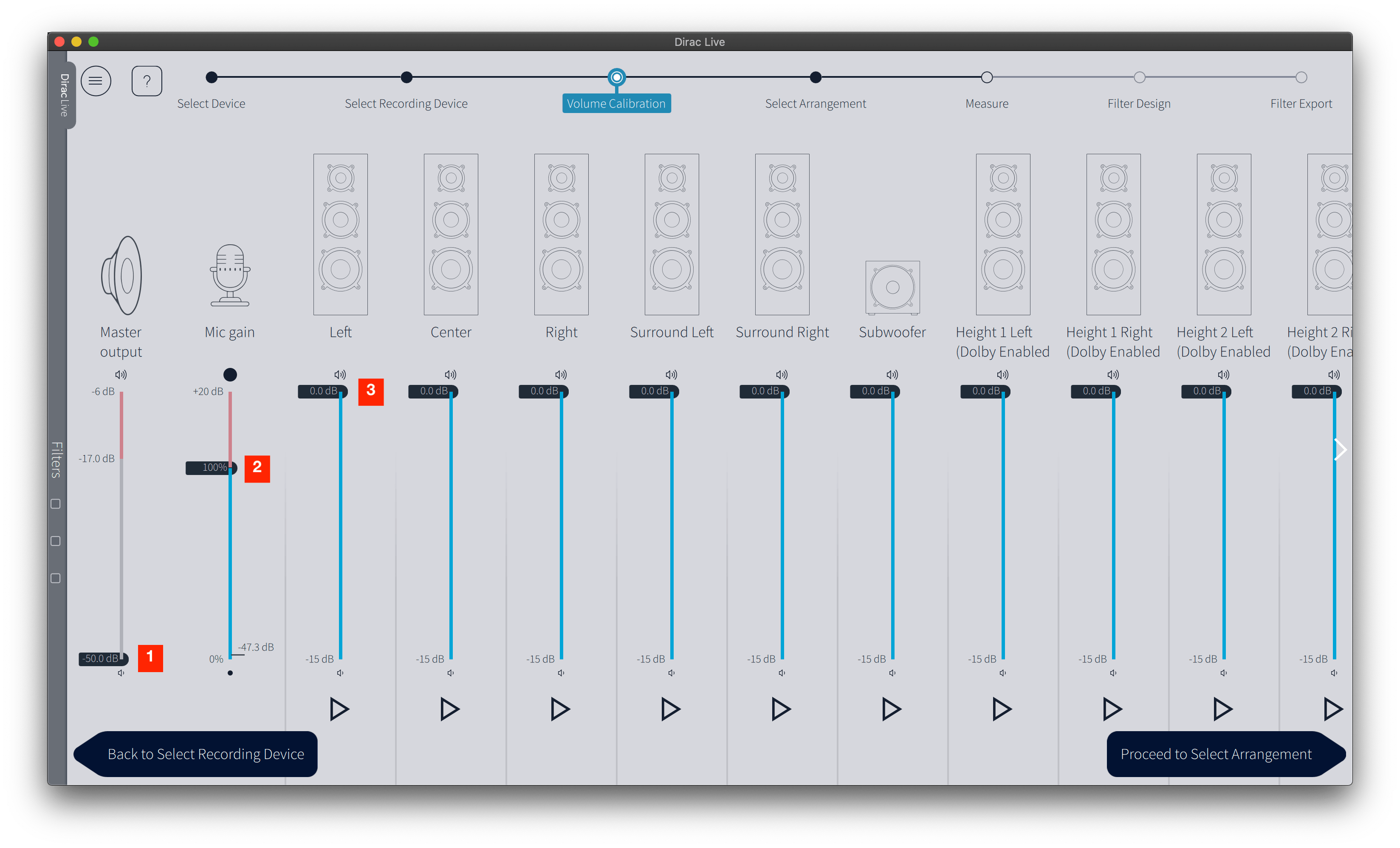
Preparation
- Move "Master output" slider all the way down. The "Master output" slider adjusts the master volume of your AVR/AVP and therefore the overall test signal level later on.
- Raise the "Mic gain" slider until the background-noise level remains just below −50 dB, with only occasional peaks above it. The "Mic gain" slider adjusts the signal level coming from the mic. Make sure devices that are known to generate a lot of inaudible low frequency noise are switched off, e.g. HVAC, refrigerator, washer, dryer, people walking around (they sometimes don't have an off switch though), etc. Such noise can invalidate measurements.
- Move all speaker/subwoofer channel sliders all the way up.
- Turn level/gain knob at your subwoofer all the way down. This is just a precaution. We'll adjust subwoofer levels later. If your sub has a low pass filter, make sure it is switched off or set to the highest value.
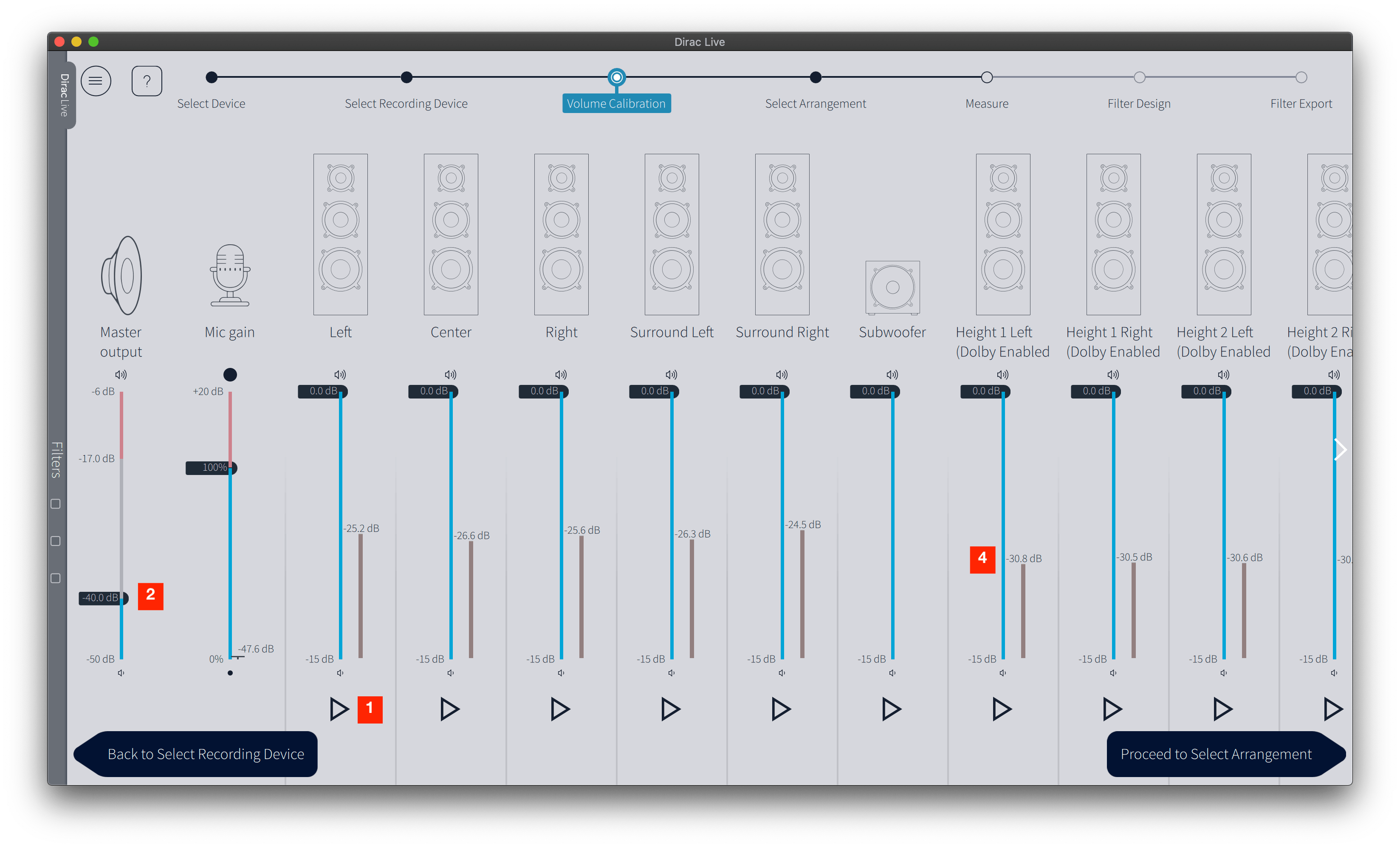
Find the quietest speaker
- Click "Play" button for the left speaker.
- Slowly increase "Master output" slider until left speaker plays the noise signal at a comfortable level.
- Click "Play" button for each speaker successively. Omit subwoofer.
- Note the quietest speaker (in this example "Height 1 Left").
Level speakers
- Click "Play" button of the quietest speaker.
- Raise the "Master output" slider until the quietest speaker measures at least 20 dB above the noise floor. Its meter should read approximately −30 to −20 dB, within the green or blue zone in older versions of Dirac Live.
- Click "Play" button for the left speaker and reduce its level so it also measures at least 20dB above noise floor (speaker meter showing roughly -20 to -30dB, green or blue zone in older app versions).
- Repeat step 3 for all other speakers except the subwoofer.
- Set the subwoofer channel slider to approximately the same value as the speaker that required the most attenuation. In this example, that is "Surround Right" at −6.8 dB.
- Click "Play" button for the subwoofer.
- Turn level/gain knob at your subwoofer (NOT within Dirac Live) up until the level is also at least 20dB above noise floor (speaker meter showing roughly -20 to -30dB, green or blue zone in older app versions).
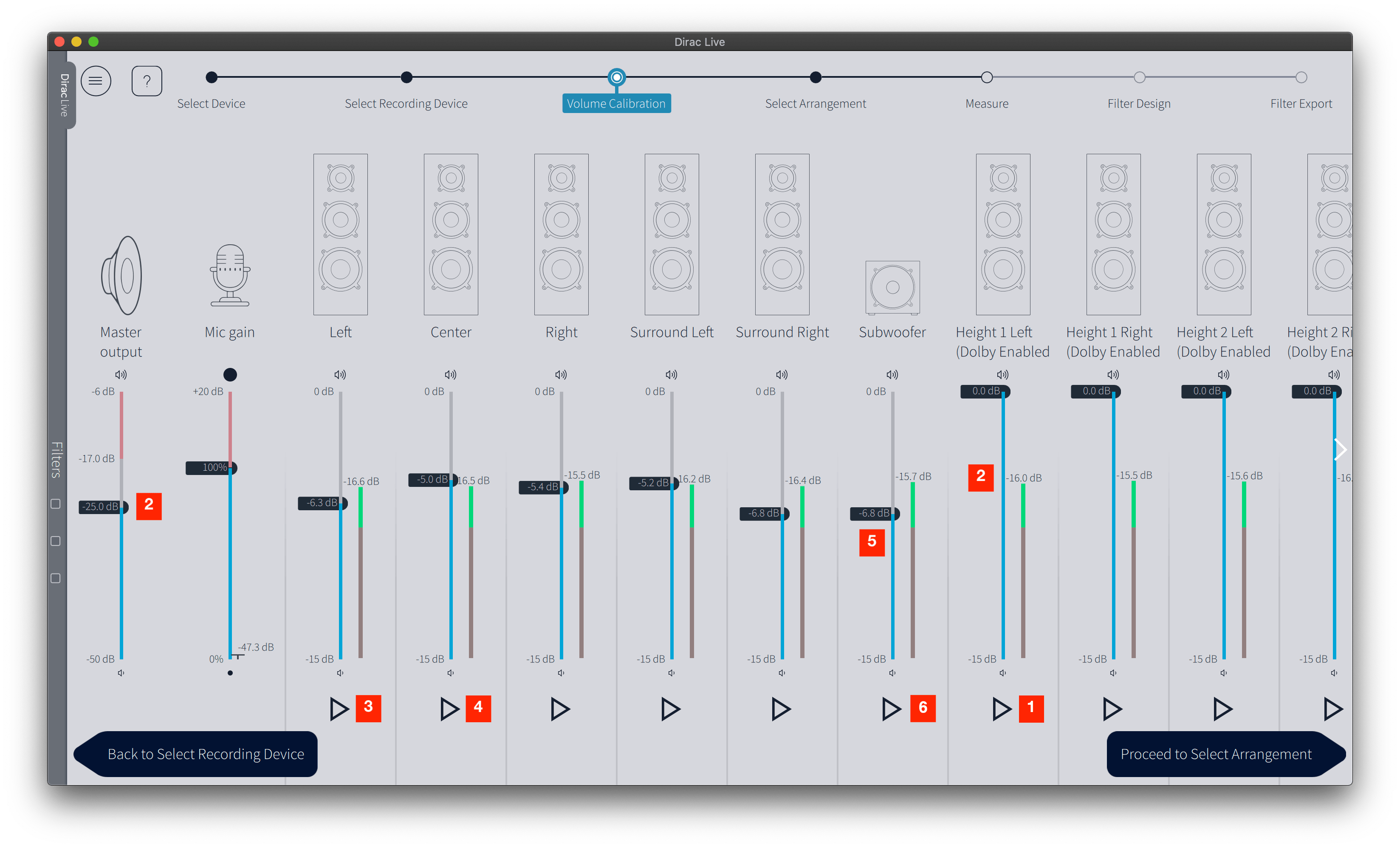
You're now ready to proceed to the "Select Arrangement" tab and do the actual measurements.
Tips and Tricks
After successfully running a Dirac Live calibration, check the trim values in the AVR. Unfortunately, some devices do not offer this option.
If the subwoofer has the largest positive trim value—typically 0 dB—compare it with the trim of the loudest speaker. No further adjustment is necessary if the difference is only a few decibels.
If the difference is 10 dB or more, increase the gain on the subwoofer's plate amplifier and rerun Dirac Live. Ideally, the subwoofer should be among the channels with the largest negative trim values.
This improves the signal-to-noise ratio of the main channels and provides more digital headroom in the subwoofer channel, reducing the risk of clipping.